Construction & Field Time Tracking App
The Working Time module is used to collect information about employees’ working hours, piecework output, company vehicle usage, and absences.
Why is it worth it?
The working time module is a central place for settling field crews and controlling labor costs per project site. It is an ideal starting point for further integration with corporate payroll and billing systems.
- 1. Complete Data Collection
- 2. Control & Convenient Settlement
- Additional Features
- Data can be collected by the employee or their supervisor (e.g., foreman) – Two data collection modes are available: the employee enters their own working time, or the supervisor manages entries for their subordinates.
- Linked to Facilities and Fleet vehicles – The application allows linking a given entry with a specific facility and assigning the company vehicle used, which simplifies cost settlement per project.
- Additional information & exceptions – Data on entry time, exit time, breaks, business trips, and piecework are collected, along with exceptional situations (travel, work not started, vacation, sick leave).
- Automated wage calculation – Based on the employee’s assigned rates, the system automatically calculates remuneration including piecework and allowances.
- Submission timeliness & overtime control – Option to restrict backdated entries, clear warnings for overtime hours, and a quick filter for delayed submissions.
- Export to CSV spreadsheet file – For internal settlements, you can filter by period, employee, or facility and export the report to a CSV file.
- Offline Mode – Record timesheets even without internet access
- (on request) Integrations with your IT systems
- (on request) Migrations from current systems
How it works
A field worker adds an entry every day. The application validates hours, assigns work to the selected facility, and automatically calculates earned remuneration.
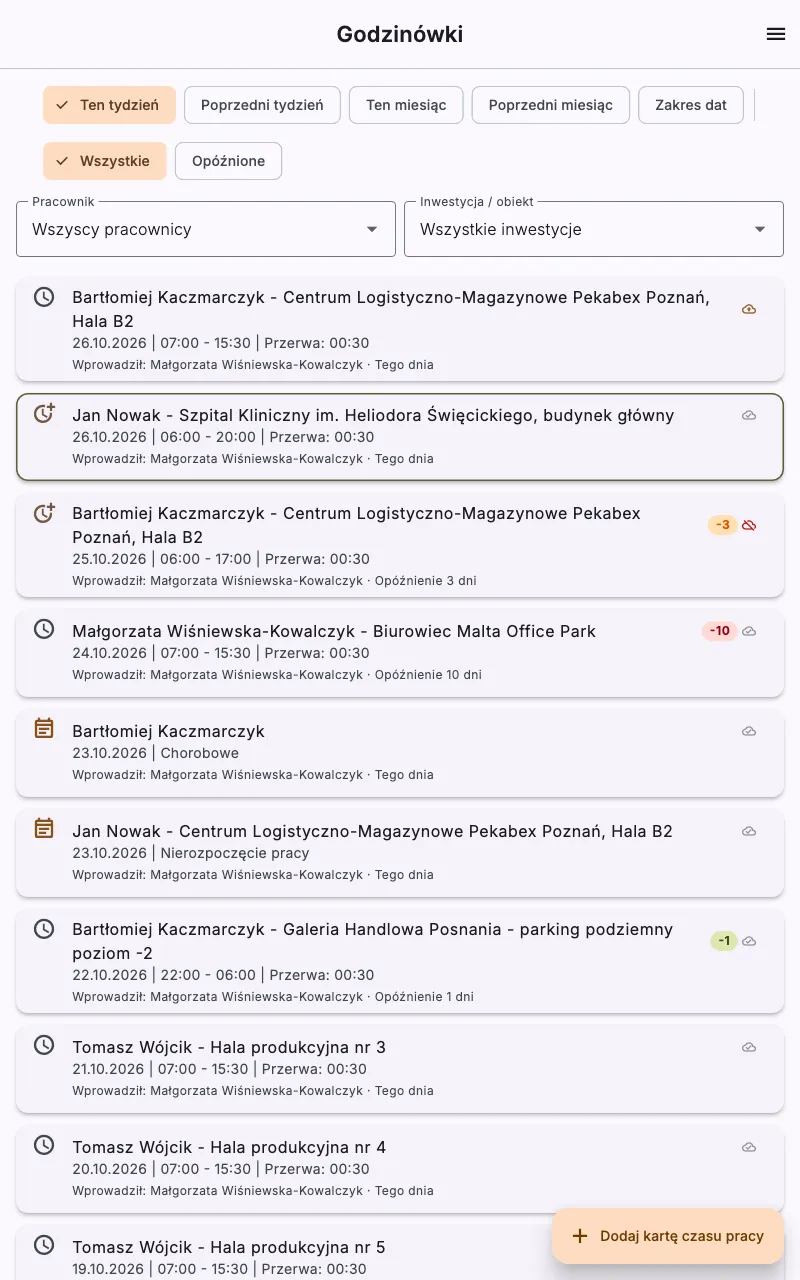
Timesheet list with filtering by period, employee, facility, and delayed entries.
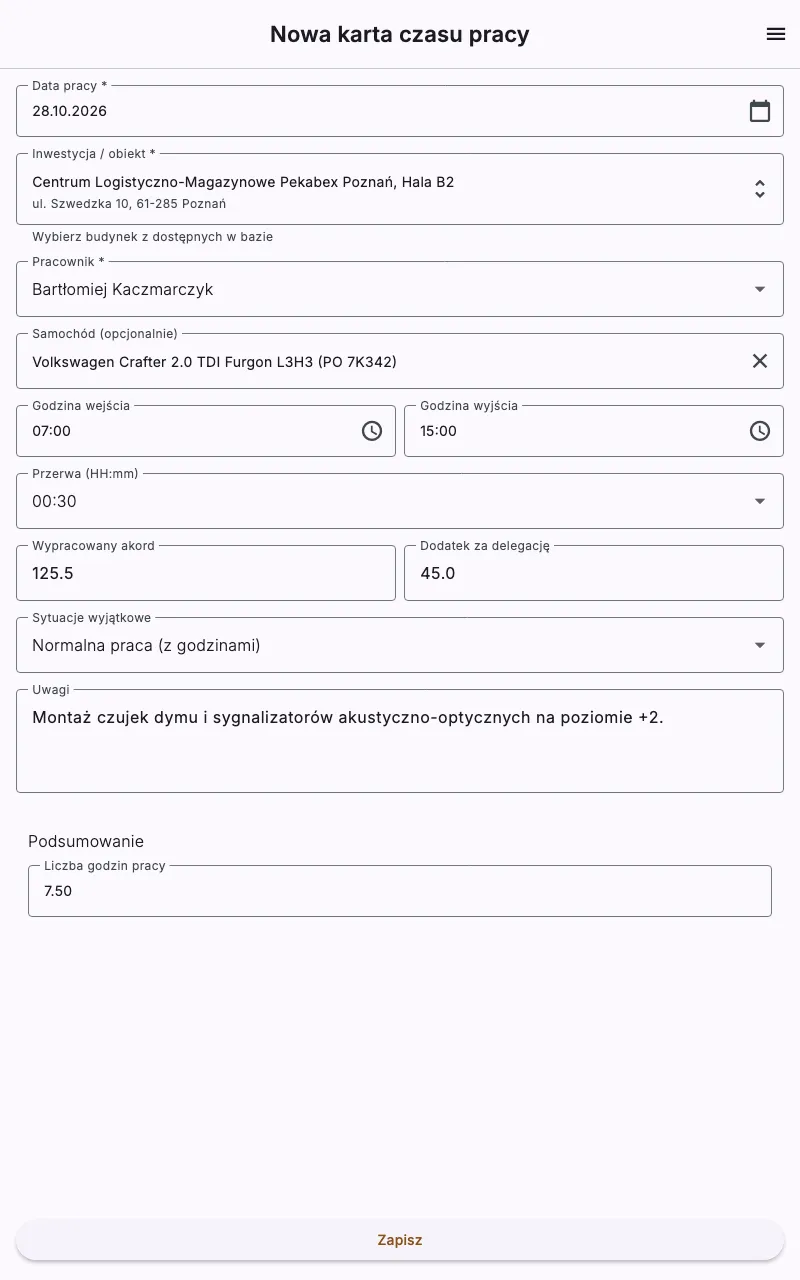
Work time entry form with fleet vehicle assignment, piecework, and travel allowance.
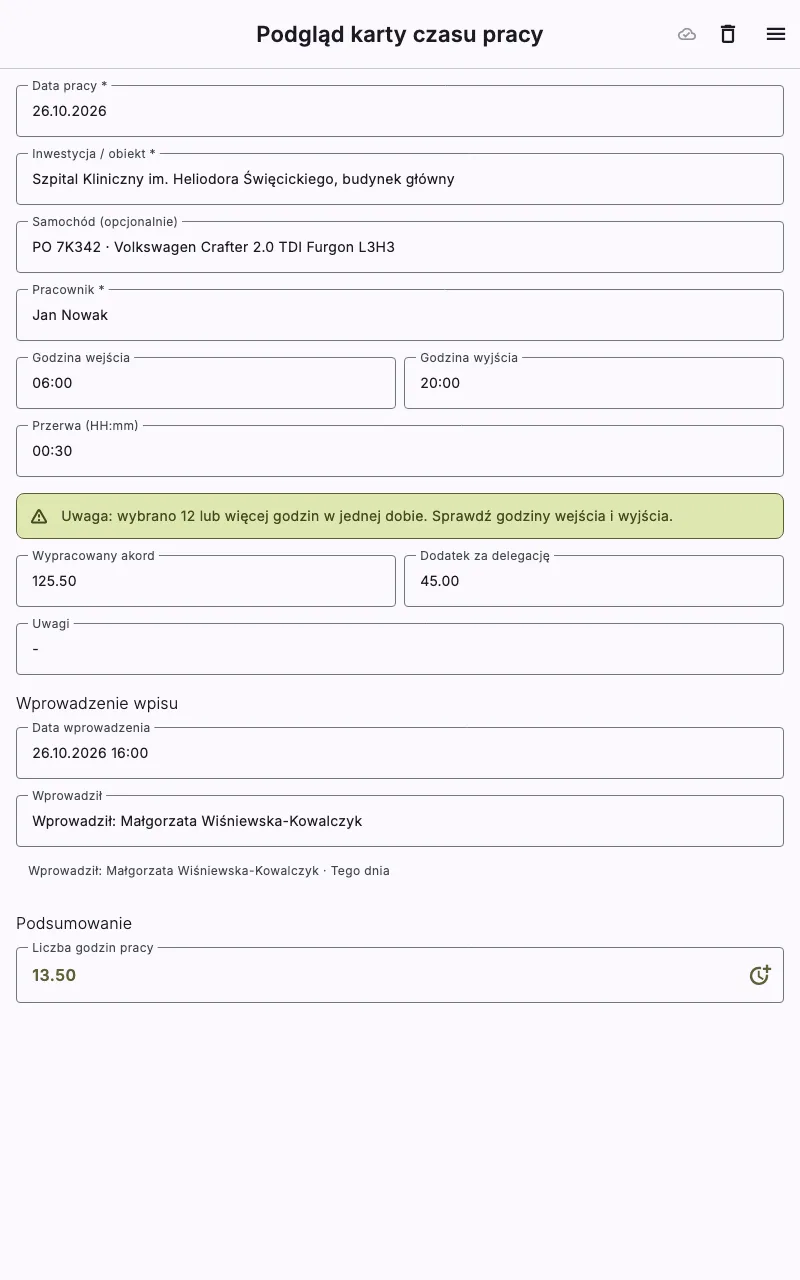
Clear preview of a saved timesheet entry with worked hours summary.
Info
A report of filtered timesheets can be exported to a CSV file and further processed within the organization.