Maintenance Ticketing & Service Request Software
The service arrival reports module is used to collect information about urgent work and service visits carried out by employees in the field.
Why is it worth it?
The service arrival reports module is a central place for gathering information about orders in the field. We offer the ability to instantly generate a PDF document with data from the service visit and send it to the office or directly to the client – accelerating document workflow and invoicing.
- 1. Creating a Service Arrival Protocol
- 2. Sending the Protocol to the Office or Client
- Additional Features
- Ready-made form – Standardization of field work. The ready-made form template guarantees data completeness and a professional appearance for every protocol.
- Recording work on specific facilities with multiple technicians – Based on facilities in the application, allowing you to assign either a single technician or an entire crew (including subcontractors) to one visit.
- Additional information – Data on entry and exit time, employee and client signatures on the device screen, photos, description of work, and materials used.
- Protocol in PDF format – After completing the work, the system automatically generates a protocol in PDF format.
- Sending to office or client – The ready-made protocol can be sent to the office or directly to the client’s email addresses from within the application, and edited or resent at any time.
- Offline Mode – Create reports with photos and signatures even in areas without signal
- (on request) Integrations with your IT systems
- (on request) Additional fields in the form
How it works
A field worker can add a new service protocol at any time. The protocol is automatically generated in PDF format and sent to the office or client from within the application.
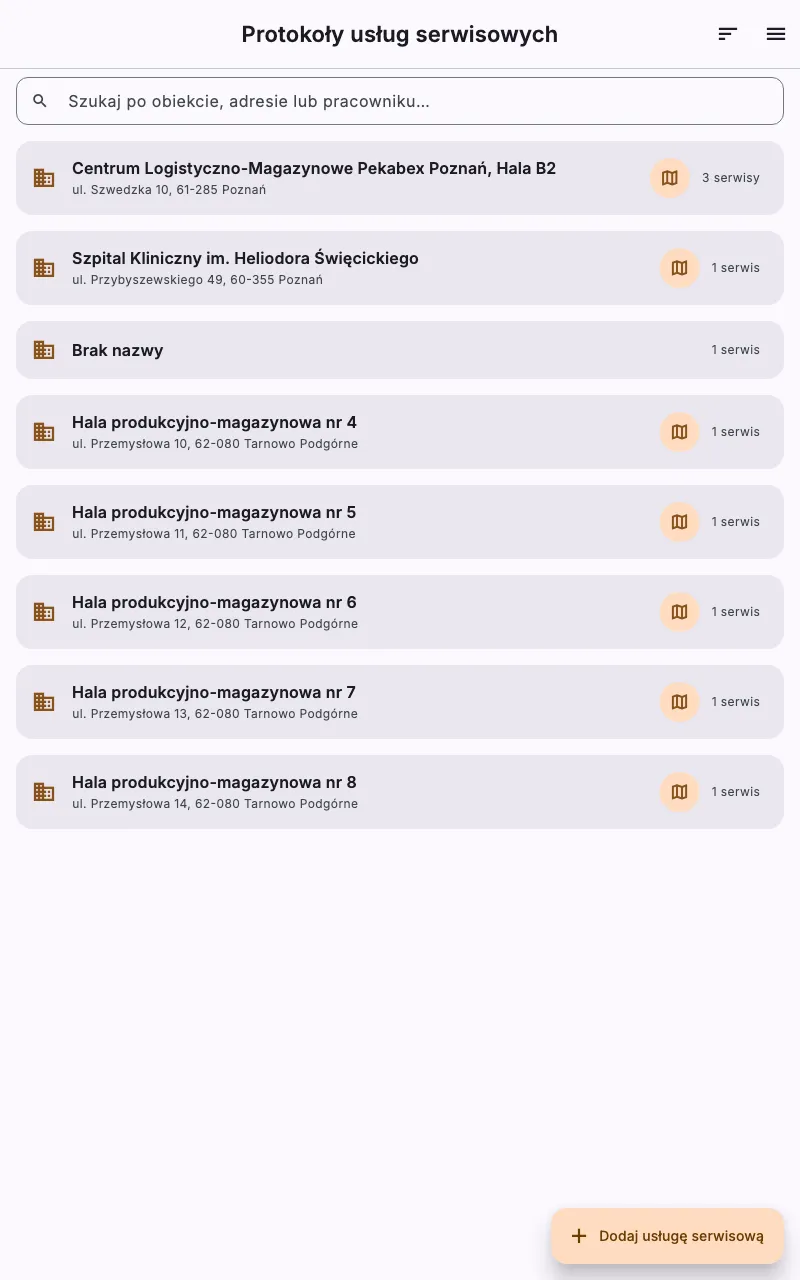
Service arrival reports list with quick access to preview and editing.
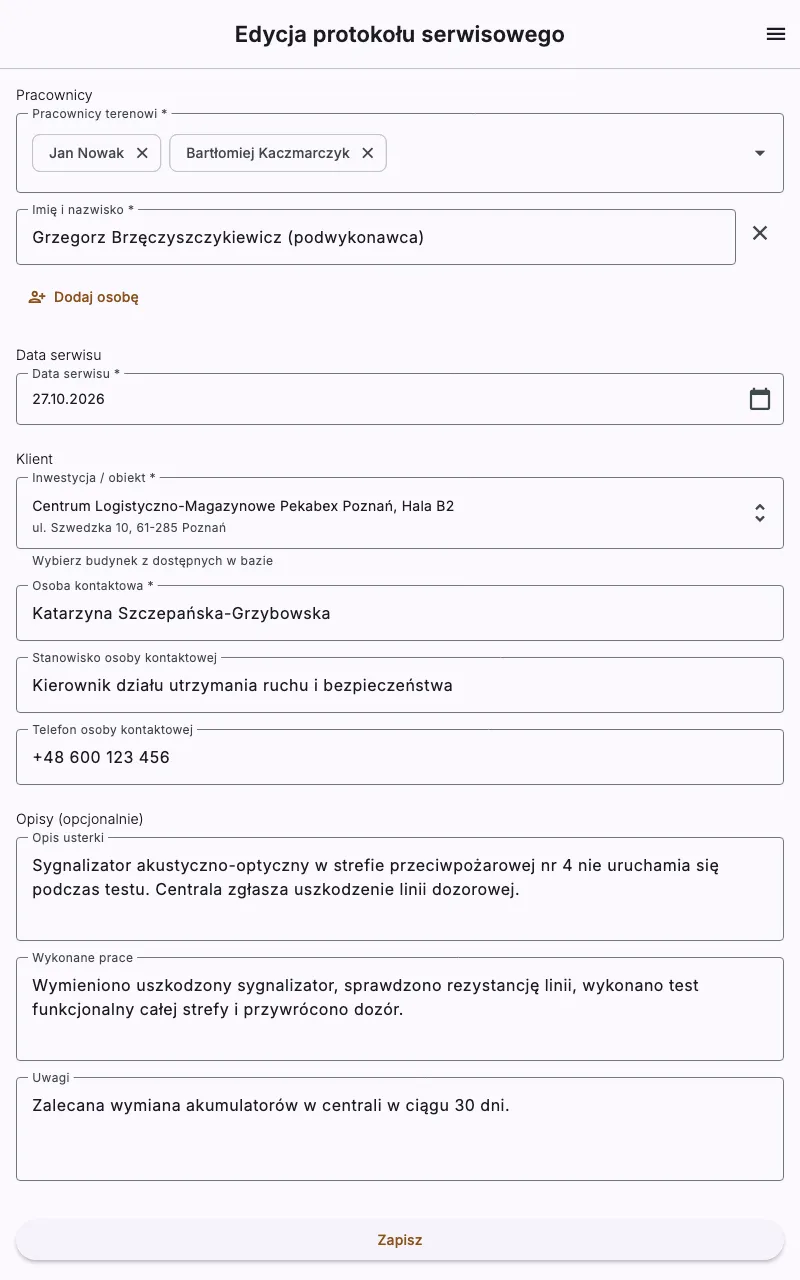
Service report form with crew selection, facility details, fault description, and work log.
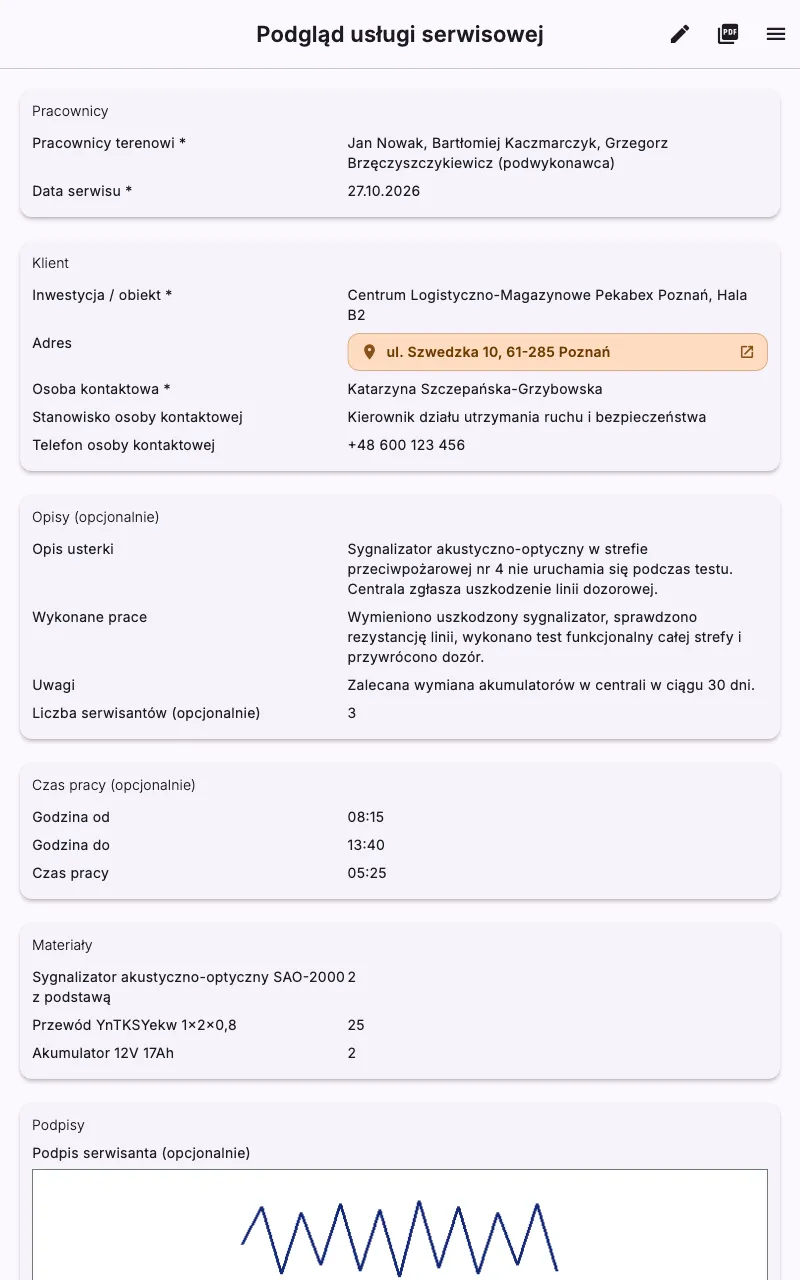
Completed protocol preview with work hours, materials used, signature, and PDF export.
Info